Right now, you probably have a Google Business Profile, a few reviews, and no clear idea why competitors with worse products are showing up above you in local search.
With the right local SEO tools, you can see exactly where your rankings drop across your city, which directories have wrong information about your business, and what your profile is missing compared to whoever is ranking first.
This guide breaks down 11 tools, based on G2 reviews, Reddit discussions, and publicly verified data, and organizes them by the specific job each handles, so you can pick based on what’s broken rather than what has the longest feature list.
What local SEO tools help you do
Local SEO involves different jobs, so you need the right tools to handle these jobs.
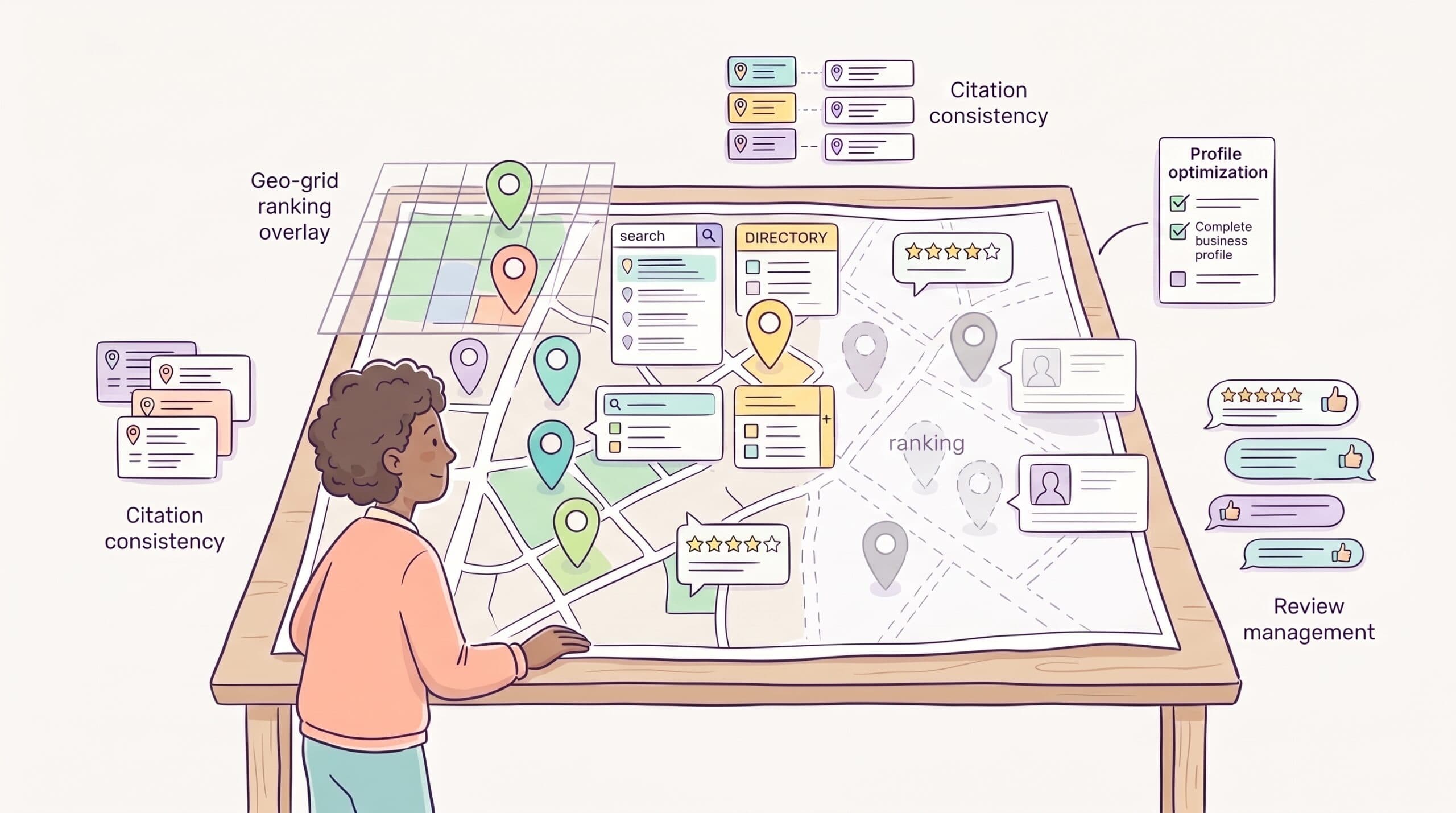
Rank tracking shows where your business appears on Google Maps when someone searches from different points around your city. A single average ranking number hides a lot. You might rank first for customers half a mile away and not appear at all for people on the other side of town.
Citation management checks whether your business name, address, and phone number are consistent across directories. Conflicting information across Yelp, Apple Maps, and dozens of smaller directories quietly undermines your credibility with Google.
GBP optimization covers everything inside your Google Business Profile: categories, photos, posts, Q&A, and how you compare to competitors on those signals.
Listing distribution pushes your business information to the directories and aggregators that feed search engines, navigation apps, and voice assistants.
Review management handles monitoring, responding to, and, in some cases, generating customer reviews. It’s one of the strongest local ranking signals available.
Understanding which of these is the weakest link in your local presence makes it much simpler to choose a tool.
What to look for in a local SEO tool
Job fit
The most common mistake is buying a platform that bundles 10 features you don’t need when you only need 2. A rank tracker won’t fix your citations. Neither would a listing management tool show you why a competitor is outranking you. Match the tool to the problem.
Pricing model
Local SEO tools price in three ways: flat monthly fee (you get everything), per-location (you pay per business profile), and credit-based (you pay per scan or action). Per-location and credit-based models can get expensive fast if you’re not tracking usage carefully.
Data accuracy
Local rankings vary by exact GPS coordinate, not just by city or zip code. Tools that report a single average ranking number are hiding significant variance across your service area. Look for geo-grid tracking that shows performance across a grid of points.
If you also want to track how your content performs in AI-generated answers alongside traditional rankings, tools built for that job are separate. These AI search visibility tools handle a different layer of the same visibility problem.
Ease of use
Some platforms are built for agencies managing hundreds of locations. If you’re running one business yourself, you want something you can set up in an afternoon without a tutorial.
Action vs. insight
A rank tracker can tell you that visibility dropped. A more complete platform might also help you post updates, request reviews, or fix listings directly. Knowing what’s wrong is only useful if you can do something about it.
At a glance: 11 best local SEO tools
| Tool | Best for | Starting price (Annually) | Free option |
| Google Business Profile | GBP management | Free | Yes |
| Google Search Console | Local organic search data | Free | Yes |
| BrightLocal | All-in-one local SEO | $31/month | 14-day trial |
| Local Falcon | Geo-grid rank tracking | $24.99/month | No |
| Whitespark | Citation research | $33/month | Limited |
| Semrush Local | Existing Semrush users | $30/month add-on | No |
| Moz Local | Affordable listing distribution | $16/month/location | No |
| Yext | Enterprise listing management | ~$199/year/location | No |
| Localo | AI-guided GBP optimization | $32.42/month | 14-day trial |
| GMB Everywhere | Competitor GBP research | Free | Yes |
| PlePer | GBP category research | Free | Yes |
1. Google Business Profile: Best free foundation for local SEO
Google Business Profile (GBP) is where local SEO starts. It’s the profile that appears in Google Search and Google Maps when someone looks up your business or searches for what you do nearby. Without a claimed, optimized profile, nothing else on this list will move the needle.

GBP is free. Google maintains it. And it’s the single most important signal in local pack rankings, which means it’s worth treating as a product you actively manage, not a form you fill out once and forget.
Pros:
- Free, with no meaningful limitations. Every feature in GBP is available at no cost: posts, photos, Q&A, product and service listings, booking integration, and messaging.
- Direct line to Google’s local algorithm. Updates made in GBP push directly to Search and Maps. There’s no intermediary.
- Performance data built in. GBP Insights shows how many people searched for your business, what keywords triggered your profile, and how many clicked for directions or called.
- Review management is included. You can respond to reviews directly from the dashboard without a third-party tool.
Cons:
- Third-party edits can override your information. Google allows users and data aggregators to suggest edits to your profile. These can go live without your approval if you’re not monitoring closely.
- No rank tracking. GBP Insights shows impressions and clicks but doesn’t tell you where you rank for specific keywords across different parts of your service area.
- Limited competitive visibility. You can see your own performance but not how your profile compares to competitors in the same category.
Key features:
- Business information management (name, address, phone, hours, categories)
- Google Posts for updates, offers, and events
- Photo and video uploads
- Q&A section management
- Review monitoring and response
- GBP Insights (views, searches, actions)
- Product and service listings
- Booking and messaging integrations
Pricing
Free.
Who should use GMB?
Every local business. There’s no scenario where you skip this. If you haven’t claimed your GBP or haven’t fully completed it, that’s the first thing to fix before spending money on any other tool.
2. Google Search Console: Best free tool for local organic search
Google Search Console (GSC) tracks how your website performs in Google Search: which pages rank, for which queries, and how often people click through.

For local businesses, it answers a question GBP can’t: how is your website performing for location-specific keyword searches like “plumber in [city]” or “best coffee shop near [neighborhood]”?
GBP handles your Maps presence. GSC handles your website’s organic visibility. Both are free. Both are worth using from day one.
Pros:
- Shows the exact search queries bringing people to your site. You can filter by location-specific queries to see whether local keyword pages are gaining traction.
- Identifies pages losing traffic. If a service page that used to rank well has dropped off, GSC flags it before you notice it in your revenue.
- Highlights indexing and technical issues. Pages Google can’t crawl or index won’t rank. GSC surfaces these problems with enough specificity to fix them.
- Free with no data limits. Unlike third-party rank trackers, there are no credit caps or scan limits.
Cons:
- Data is aggregated, not exact. GSC rounds search volume and position data, particularly for low-traffic queries. You’ll see trends clearly but not precise numbers.
- No local Maps tracking. GSC measures organic search performance, not your Google Maps pack rankings. You need a separate tool for that.
- 16-month data window. Historical data beyond 16 months isn’t available, which limits long-term trend analysis.
Key features:
- Search performance report (queries, clicks, impressions, average position)
- Page indexing status and coverage reports
- Core Web Vitals monitoring
- Mobile usability reports
- URL inspection tool
- Sitemap submission
- Manual action and security issue alerts
Pricing:
Free.
Who should use GSC?
Any local business with a website. Particularly valuable if you’ve invested in local landing pages for specific neighborhoods or service areas, since GSC shows whether those pages are getting organic search traffic.
3. BrightLocal: Best all-in-one local SEO platform
BrightLocal is the closest thing this category has to a standard recommendation. It appears consistently in Reddit discussions, G2 reviews, and agency toolkits as the platform people reach for when they need citation tracking, rank monitoring, review management, and client reporting in one place.

Founded in 2009, BrightLocal has grown into a platform used by small businesses, agencies, and multi-location brands. Its breadth is both its main strength and its main pricing complication. The more features you need, the further up the plan tiers you go.
Pros:
- Covers more local SEO jobs than any other single platform. Rank tracking, citation building, citation auditing, review monitoring, GBP management, and white-label reporting are all available with a single subscription.
- Local Search Grid provides geo-grid visibility. You can see how rankings change across a grid of points in your service area, not just a single average position.
- Citation Tracker monitors 108+ sources automatically. It flags inconsistencies across directories without you having to check each one manually.
- White-label reporting is clean. Agencies can brand reports with their own logo and colors, which matters when presenting results to clients.
- 14-day free trial with no credit card required. You can test the platform with real data before committing.
Cons:
- Review monitoring and response are locked behind the Grow tier. If you need reputation management, you’re paying at least $59/month, not the $39 entry price.
- Citation building is pay-as-you-go on top of the subscription. Each citation submission costs $3.20, or $2 in bulk. This isn’t included in your monthly fee.
- Steeper learning curve than simpler alternatives. Multiple tools inside one platform mean more things to configure. New users report it takes time to understand which report answers which question.
- Report generation can be slow. Several G2 reviewers note that reports, particularly local search audits, take longer to generate than expected.
Key features:
- Local Rank Tracker (up to 100 keywords per location)
- Local Search Grid (geo-grid rank tracking)
- Citation Tracker (108+ directory monitoring)
- Citation Builder (pay-as-you-go submission service)
- Review monitoring and response tools (Grow tier)
- GBP management and post scheduling
- White-label dashboards and reports
- Multi-location management
BrightLocal pricing
- Track: $31/month: rank tracking, citation monitoring, geo-grid, reporting
- Manage: $40/month: adds active listing management
- Grow: $49/month: adds review monitoring and response tools
- Pricing scales with location count. Annual billing saves 25%.
- Citation Builder is pay-as-you-go at $3.20 per submission ($2 in bulk).
Who should use BrightLocal?
Small businesses and agencies that want a single platform to cover most local SEO tasks. If you manage multiple locations or need white-label reporting for clients, BrightLocal’s breadth justifies the cost. If you only need rank tracking, it’s more than you need.
4. Local Falcon: Best for geo-grid rank tracking
Local Falcon shows you where your business ranks on Google Maps across a grid of GPS points, visualized as a heat map. Green points mean you’re ranked in the top three. Red points mean you’re not showing up. The gradient in between tells you where the edges of your local visibility are.

That single function turns out to be more valuable than it sounds. Most businesses discover their Maps rankings are much more geographically uneven than they assumed: strong near their physical location, weak a mile or two out, and nonexistent in certain directions entirely.
Pros:
- Geo-grid accuracy is consistently praised in user reviews. Users describe it as one of the most reliable local rank trackers available, with GPS-coordinate-level precision rather than city-level averages.
- Competitor overlay shows exactly who you’re losing to. You can see which competitors rank at each grid point, making it clear which businesses you need to close the gap on and where.
- Falcon AI Analysis provides prioritized recommendations. After a scan, AI-generated insights flag what to fix and in what order, rather than leaving you to interpret raw grid data.
- Apple Maps tracking is included. Most rank trackers focus exclusively on Google. Local Falcon also covers Apple Maps, which makes sense for businesses with a high share of iPhone users.
- Unlimited keywords and locations across all plans. You’re paying for scan credits, not for the number of businesses or keywords you track.
- Zapier and API integrations. Agencies can pull Local Falcon data into client dashboards or automate reporting workflows.
Cons:
- Credit-based pricing can feel unpredictable. Each grid point in a scan uses one credit. An 11×11 grid scan costs approximately $0.40 in credits. Frequent scans across multiple locations burn through credits faster than the headline plan price suggests.
- Rank tracking only, no citation or listing tools. Local Falcon shows you where the problem is. It doesn’t help you fix citations, manage reviews, or update listings. You’ll need additional tools for that.
- Credits expire. Monthly credits expire at the end of each month. Annual credits expire at year-end. Unused credits don’t roll over.
Key features:
- Geo-grid rank tracking with heat map visualization
- Competitor overlay on the same grid
- Falcon AI Analysis (prioritized optimization recommendations)
- Apple Maps tracking
- Historical scan comparison
- Scheduled recurring scans
- Share of Local Voice (SoLV) metric
- Zapier and API integrations
- White-label reports
Pricing:
- Starter: $24.99/month: 7,500 credits
- Basic: $49.99/month: 15,150 credits
- Pro: $99.99/month: 31,250 credits
- Enterprise: $199.99/month: 63,000 credits
- Annual plans are available; pay-as-you-go credits cost $0.05 each and never expire.
Who should use Local Falcon?
Businesses and agencies that want precise, visually clear data on where Maps rankings drop off across a service area. Particularly useful if you need to show clients where they’re winning and losing geographically. Pair it with Whitespark or BrightLocal for the citation and listing work Local Falcon doesn’t cover.
5. Whitespark: Best for citation research and local rank tracking
Whitespark is a Canadian local SEO company founded in 2005. It sells its tools separately rather than as a single bundled platform. You can buy the Local Citation Finder, the Local Rank Tracker, the Reputation Builder, and the Local Platform independently, which means you pay only for what you use.

Its citation tools are widely regarded as the most thorough in the category. Unlike automated listing pushes that hit the same standard directory list every time, Whitespark’s Citation Finder identifies citation opportunities specific to your industry and city: directories your competitors are listed in that you aren’t.
Pros:
- Citation Finder surfaces competitor citations, not just generic directories. You can see exactly which directories competitors are using, making it easier to close specific gaps rather than submitting to irrelevant sites.
- Local Rank Tracker accuracy is consistently reliable. Users report rankings that track with reality, including device-specific and location-specific breakdowns.
- Manual citation building service is available. For businesses that want citations built by humans rather than automated submissions, Whitespark offers a done-for-you service. This matters for industries where low-quality automated submissions can do more harm than good.
- Unbundled pricing means you don’t pay for features you don’t need. If citations are your only priority, you’re not paying for a rank tracker you won’t use.
- No long-term contracts. Monthly billing with no lock-in, which compares favorably to platforms that require annual commitments.
Cons:
- Buying multiple tools adds up quickly. The Local Citation Finder starts at $33/month, the Local Rank Tracker at $14/month, and the Reputation Builder at $79/month per location. If you want the full suite, you’re paying $128+/month before multi-location fees.
- No free trial. You commit before testing.
- Less polished interface than all-in-one competitors. Whitespark’s tools are functional but utilitarian.
- Local Ranking Grids are a newer addition. Whitespark released geo-grid tracking in August 2025. It’s functional but not as mature or visually polished as Local Falcon’s implementation.
Key features:
- Local Citation Finder (competitor citation discovery, opportunity identification)
- Local Rank Tracker (city, zip, and device-specific rankings)
- Local Platform (GBP management, bulk edits)
- Reputation Builder (review collection and monitoring)
- Local Ranking Grids (geo-grid visualization, added August 2025)
- Manual citation building service
- Local Search Audit
Whitespark pricing:
- Local Platform: $1/month per location
- Local Rank Tracker: $14–$200/month
- Local Citation Finder: $33–$149/month
- Reputation Builder: $79/month per location
Who should use Whitespark?
Businesses and agencies doing serious citation work, particularly those in competitive local markets where generic directory submissions aren’t enough. Whitespark is the tool practitioners reach for when they want to know exactly where a competitor’s citation advantage comes from.
6. Semrush Local: Best for existing Semrush users
Semrush is primarily an SEO platform covering keyword research, backlink analysis, site audits, and competitor intelligence. Its Local Toolkit is an add-on that layers local SEO features onto an existing Semrush subscription, rather than a standalone local SEO product.

For businesses already paying for Semrush Pro or Guru, the Local Toolkit extends the platform into local search without requiring a separate tool. For businesses that don’t already use Semrush, the math changes. You’d be paying for the core Semrush subscription ($139.95/month) plus the Local add-on, which is a lot to spend, especially since dedicated local SEO tools start at $16/month.
Pros:
- Single platform for organic and local SEO. If you’re already using Semrush for keyword research and technical audits, adding local features keeps everything in one dashboard.
- GBP management with AI post generation. The Base plan includes an AI agent that handles Google Business Profile management, generates posts, and auto-replies to reviews.
- Map Rank Tracker is included. Credits for geo-grid local rank tracking are included in each tier, giving you visual Maps position data without a separate tool.
- Listing management covers 70+ directories. The Pro plan distributes your business information across directories and handles ongoing updates automatically.
- Keyword research integration is a real advantage. You can move from researching local keywords to tracking local rankings within the same platform, with connected data.
Cons:
- Only makes financial sense if you already pay for Semrush. Adding $30–$60/month to an existing $139.95/month subscription is reasonable. Starting from scratch at that combined cost is not.
- Map Rank Tracker credits are limited by tier. The Base plan includes 375 credits per month. An 11×11 grid scan uses 121 credits. Frequent scanning burns through the monthly allowance quickly.
- Local Toolkit is an add-on, not a first-class product. Users report that Semrush’s local features feel secondary to its core SEO tools: functional but less refined than dedicated local platforms like BrightLocal.
Key features:
- GBP management with AI agent
- AI-powered post generation and scheduling
- Review auto-replies
- Map Rank Tracker (geo-grid credits included by tier)
- Listing management across 70+ directories (Pro tier)
- Review generation and management tools (Pro tier)
- Integration with Semrush keyword and competitor data
Semrush Local pricing:
- Base: $30/month per location (GBP management, AI posts, review auto-replies, 375 Map Rank Tracker credits)
- Pro: $60/month per location (adds listing distribution, review management, 1,225 Map Rank Tracker credits)
- Requires an active Semrush subscription.
Who should use Semrush Local?
Businesses and marketing teams already subscribed to Semrush who want to extend their existing investment into local search. Not the right starting point if local SEO is your primary focus and you don’t already use Semrush for other things.
7. Moz Local: Best for affordable automated listing distribution
Moz Local keeps your business information consistent across directories, search engines, maps, and apps. You enter your business details once, and Moz pushes them to a network of 90+ platforms: Google, Facebook, Apple Maps, Bing, Yelp, and dozens of smaller directories and data aggregators.

For businesses that have never done structured listing management, Moz Local can be set up in under 15 minutes and immediately starts correcting inconsistencies that have been quietly eroding local rankings.
Pros:
- Setup is fast. Users consistently describe onboarding as straightforward. Enter your business information, connect your profiles, and Moz handles distribution.
- Affordable entry price for single-location businesses. At $16/month per location on annual billing, it’s the lowest-cost listing management tool on this list with meaningful directory coverage.
- Duplicate listing detection and removal. Moz automatically scans for duplicate listings that can confuse Google about which profile is authoritative and flags them for removal.
- Search Visibility Score gives a quick health check. A visual score summarizes how well your listings are performing across directories, making it easy to see progress without digging into individual directory statuses.
- Review monitoring is included on all plans. Even the entry-level Lite plan includes review alerts across major platforms.
Cons:
- 90+ directories may sound like a lot, but they aren’t always enough. For businesses in industries with important niche directories (healthcare, legal, home services). Moz’s network may miss platforms that matter most for your specific category.
- Limited rank tracking. Moz Local focuses on listing health, not Maps rankings. If you want to know where you appear in local pack results, you’ll need a separate rank tracking tool.
- Lower-tier plans have limited reporting. Competitor tracking and detailed analytics are restricted to higher plan tiers.
- Listings may degrade if you cancel. Like most listing management platforms that use data aggregator relationships, your listings may revert to their previous state when you stop paying.
Key features:
- Listing distribution across 90+ directories
- Duplicate listing detection and removal
- Search Visibility Score
- Review monitoring and alerts
- Social posting (Preferred tier and above)
- Review response tools (Preferred tier and above)
- Competitor location tracking (Preferred tier and above)
- AI-powered listing recommendations (Elite tier)
Moz Local pricing:
- Lite: $16/month per location: listing distribution, review monitoring, basic alerts
- Preferred: $24/month per location: adds review response, social posting, competitor tracking
- Elite: $33/month per location: adds AI tools, advanced social features, enhanced reporting
Who should use Moz Local?
Single-location businesses that need clean, consistent listing distribution across major directories without a complex setup process. Also, a reasonable starting point for businesses that have never audited their citation consistency and want to identify gaps before investing in more advanced tools.
8. Yext: Best for enterprise listing management at scale
Yext is the enterprise standard for listing management.

It maintains direct publisher integrations with 200+ platforms, meaning your business information updates in real time across search engines, maps, navigation apps, voice assistants, and directories when you make a change in Yext. There’s no waiting for aggregator syncs.
For a single-location small business, Yext is almost certainly more platform than you need. For a chain with 50+ locations or a brand where listing accuracy directly affects revenue at scale, Yext’s real-time sync and data governance features are hard to match.
Pros:
- 200+ publisher integrations with real-time sync. Changes push immediately to Google, Apple Maps, Facebook, Yelp, Bing, Amazon Alexa, and hundreds of other platforms simultaneously.
- Handles complex business structures. Multi-location brands, businesses with different hours by location, service area businesses, and brands with different names by region are all supported.
- Analytics across locations at scale. Enterprise reporting shows which locations are performing well and which need attention, with the granularity required by multi-location operations.
- AI-powered insights and recommendations. Yext’s platform includes tools for surfacing what’s dragging down specific location listings.
Cons:
- Pricing is the biggest objection for small businesses. Yext doesn’t publish standardized pricing, but user reports and comparison sources consistently put entry-level plans around $199/year per location, with full-featured plans at $499–$1,000+ per year per location. For a five-location business, that’s a significant annual commitment.
- Listings may disappear if you cancel. Because Yext maintains listings through its direct integrations rather than permanent submissions, those listings can degrade when you stop subscribing.
- Steep learning curve for new users. The platform is comprehensive, which also means it is complex. Initial setup takes longer than simpler alternatives.
- No free trial. You’re negotiating a contract before seeing the product in full.
Key features:
- Real-time listing sync across 200+ publishers
- Centralized business information management
- Duplicate listing detection
- Review monitoring and response
- AI insights and listing recommendations
- Multi-location management and bulk editing
- Analytics across locations
- Voice search optimization
Yext pricing
Not publicly standardized. Based on user reports and third-party sources, plans range from approximately $199/year per location for basic listings to $499–$1,000+/year per location for full-featured plans. Enterprise and multi-location pricing require a custom quote.
Who should use Yext?
Multi-location brands, franchises, and enterprise businesses where listing accuracy at scale matters and budget is less of a constraint. Not a practical choice for single-location small businesses or anyone just starting to manage their local presence.
9. Localo: Best for AI-guided GBP optimization
Localo takes a different approach from most local SEO tools. Rather than showing you data and leaving interpretation to you, it functions more like a guided optimization system: analyzing your Google Business Profile, identifying what’s holding you back, and telling you specifically what to fix and in what order.

It’s also built around automation. AI agents handle post scheduling, review responses, and profile updates on your behalf, reducing the ongoing manual work that most businesses quietly stop doing after the first few weeks.
Pros:
- AI-generated action recommendations are specific. Rather than a health score with vague guidance, Localo tells you to add photos to a specific category, respond to a specific review, or update a specific attribute.
- Automates the recurring GBP work most businesses neglect. Posts, review responses, and profile monitoring run automatically once configured.
- GBP audit tool identifies gaps against competitors. You can see how your profile compares to top-ranking competitors in the same category.
- 14-day free trial gives meaningful testing time. Enough time to run the audit, see what it surfaces, and evaluate whether the recommendations reflect real gaps.
- Simpler interface than all-in-one platforms. Users describe the setup as straightforward compared to BrightLocal or Whitespark.
Cons:
- Narrower scope than comprehensive platforms. Localo focuses on GBP optimization. Citation building, listing distribution across directories, and deep rank tracking require additional tools.
- Rank tracking is basic compared to dedicated trackers. If precise geo-grid data across a wide service area is important, Local Falcon is a better fit.
- Smaller user review base than established competitors. Less third-party data available to validate long-term performance claims compared to BrightLocal or Moz Local.
Key features:
- AI-guided GBP audit with prioritized recommendations
- GBP post scheduling and automation
- Review monitoring and automated responses
- Competitor GBP comparison
- Local rank tracking
- Multi-profile management (agency plan)
- Four free local SEO tools accessible from the browser
Localo pricing:
- Single profile: $32.42/month: one business profile, full GBP optimization
- For up to 10 profiles: $58.25/month: multiple profiles, best for freelancers and agencies
- 14-day free trial available.
Who should use Localo?
Small business owners who want to actively improve their GBP performance without learning a complex platform. Particularly useful if your GBP is set up but not optimized. Localo’s audit function tends to surface specific gaps that aren’t obvious from inside the GBP dashboard.
10. GMB Everywhere: Best free tool for competitor GBP research
GMB Everywhere is a Chrome extension that overlays Google Business Profile data directly onto Google Maps and Search results.

When you open any business listing, the extension shows you its primary and secondary GBP categories, review counts, ratings, and other profile data, information that’s otherwise buried and difficult to surface quickly.
For a business trying to understand why a competitor ranks above them, GMB Everywhere answers the most immediate question: what categories are they using that I’m not?
Pros:
- Category data is visible instantly on Google Maps. You don’t need to navigate anywhere or run a separate tool. The extension surfaces competitor categories as you browse Maps.
- GBP audit tools are included. The extension can run basic, teleport, review, and post audits on any business listing, generating reports you can share.
- The free plan covers meaningful functionality. Core category research and basic audits are available without charge. The free plan is useful, not artificially limited to push upgrades.
- No technical setup required. Install the Chrome extension, visit Maps, and the data appears. That’s it.
- Review audit provides a structured analysis of any business’s reviews. Useful both for understanding competitor strengths and for presenting findings to clients.
Cons:
- Chrome only. No Firefox, Safari, or other browser support.
- The free plan limits audits to five per month. Frequent users will hit the cap and need a paid plan.
- No ongoing tracking or reporting. GMB Everywhere shows you a snapshot when you visit a listing. It doesn’t monitor changes over time or alert you when competitors update their profiles.
- Focused on GBP research, not execution. It’s a research and analysis tool, not a management platform.
Key features:
- Primary and secondary GBP category display on Maps
- Basic, teleport, review, and post GBP audits
- Competitor category comparison
- Review analysis reports
- Google Search 3-pack category overlay
GMB Everywhere pricing:
- Free: 5 audits/month, core category research
- Pro: Starts at $15/month (annual) or $30/month (monthly): unlimited audits
Who should use GMB Everywhere?
Any local business owner or SEO practitioner who wants to quickly understand what GBP categories competitors are using. An essential first step before optimizing your own profile, and free for most use cases.
11. PlePer: Best free tool for GBP category research
PlePer is a lightweight tool for researching Google Business Profile categories. Its most useful feature is a complete, searchable database of every available GBP category by country, which is surprisingly hard to find elsewhere, since Google doesn’t publish a clean, up-to-date category list.

It also includes a browser extension that shows competitor categories on Google Maps, checks NAP consistency, and provides citation tools. For businesses that need to understand which GBP category to use, or whether they’re in the wrong one. PlePer answers that question faster than any other tool.
Pros:
- Complete GBP category database by country. You can search every available category and see which ones apply to your business type, which is useful when Google’s own category suggestions don’t surface the most relevant option.
- Competitor category comparison directly on Maps. Like GMB Everywhere, PlePer’s extension shows competitor GBP categories while browsing Maps without additional steps.
- NAP consistency checker included. You can audit whether your business name, address, and phone number are consistent across major platforms.
- The free plan covers the most useful features. Category research and the browser extension are available without paying.
Cons:
- Narrower scope than GMB Everywhere. PlePer’s audit functionality is less comprehensive than GMB Everywhere’s multi-type audit system. For deeper GBP audits, GMB Everywhere is the stronger choice.
- Interface is utilitarian. PlePer is built for research efficiency, not polish. It’s functional but basic.
- Limited to GBP research. Like GMB Everywhere, it’s a research tool, not a management or tracking platform.
Key features:
- Complete GBP category database by country
- Browser extension for competitor category research on Maps
- NAP consistency checker
- Citation tools
- Place ID finder
Pleper pricing:
- Free: Core category research, browser extension
- Pro: From $10/month or $18/year: advanced features
Who should use PlePer?
Businesses that want to verify they’re using the right GBP categories and want a complete reference for every available option. Works well alongside GMB Everywhere. PlePer for category database research, GMB Everywhere for live competitor audits on Maps.
How to choose the right local SEO tool
The right tool depends on which problem is costing you customers.
If,
You’re starting from zero
Claim and fully complete your Google Business Profile, then set up Google Search Console for your website. Both are free and non-negotiable before spending money on anything else. Add GMB Everywhere and PlePer to Chrome for free competitor research as you get oriented.
Once your GBP and GSC are set up, the next constraint is usually the content on your site. This guide on writing SEO content that ranks and converts covers the on-page side.
Your listings are inconsistent across directories
Start with Moz Local at $16/month per location. It’s the most affordable way to audit and correct your citation consistency across 90+ directories. If you’re in a competitive local market and want to identify specific niche directories your competitors are using, add Whitespark’s Citation Finder.
You don’t know where your Maps rankings stand
Local Falcon gives you the clearest geo-grid picture of where you rank across your service area and where you’re losing to specific competitors. Pair it with BrightLocal if you also need citation tracking and review management on the same platform.
Your GBP is set up but underperforming
Localo’s audit will surface specific gaps relative to competitors in your category and automate the ongoing posting and review work that most businesses stop doing manually after a few months.
You already pay for Semrush
Add the Local Toolkit. It extends your existing investment into local search without requiring a separate tool relationship. If you need deeper geo-grid tracking than the included credits allow, pair it with Local Falcon.
You manage multiple locations or client accounts
BrightLocal is the most practical all-in-one choice at reasonable per-location pricing. Agencies that need precise geo-grid data, along with citation and reporting tools, often use BrightLocal alongside Local Falcon rather than choosing one.
Frequently asked questions about local SEO tools
What’s the best free local SEO tool?
Google Business Profile is the most important free tool in local SEO, not because it’s the most sophisticated, but because it’s the primary ranking signal. Beyond GBP, Google Search Console tracks your website’s organic performance at no cost. GMB Everywhere and PlePer are both free Chrome extensions that make researching competitors’ categories significantly faster.
Do I need a paid local SEO tool for one location?
Not necessarily. GBP, GSC, GMB Everywhere, and PlePer cover research, monitoring, and basic optimization for free. The case for a paid tool gets stronger if you’re in a competitive local market, you’re unsure why competitors outrank you, or you want citation consistency managed automatically rather than manually.
What’s the difference between citation management and listing management?
Citation management focuses on auditing and correcting your business information across existing directory listings: finding where your name, address, or phone number is wrong and fixing it. Listing management focuses on pushing your business information to new directories and keeping it updated automatically. Whitespark is stronger at the former. Moz Local and Yext focus primarily on the latter.
How do geo-grid rank trackers work?
Instead of reporting a single average ranking position for a keyword, geo-grid trackers simulate searches from multiple GPS coordinates spread across a grid around your business. Each point on the grid shows your ranking from that exact location. The result is a heat map that shows where you rank well and where your visibility drops off, which can vary significantly within a few miles.
Is BrightLocal worth it for a small business?
It depends on which plan you need. The Track plan at $31/month covers rank tracking, citation monitoring, and geo-grid visibility, enough for most single-location businesses actively managing their local SEO.
If you also need review management, you’ll need the Grow plan at $49/month. For a business generating meaningful revenue from local search, that’s a reasonable investment. For a business just starting to optimize, the free tools plus Moz Local may be enough to start.
Can I use Semrush for local SEO?
Yes, if you already subscribe to Semrush. The Local Toolkit add-on starts at $30/month per location and adds GBP management, Map Rank Tracker credits, and listing distribution (on the Pro tier). If you don’t already use Semrush, the combined cost of the core subscription plus Local Toolkit is harder to justify when dedicated local SEO tools start at $16/month.
Need Content Like This for Your Site?
I’m Nathan, a freelance content writer for B2B SaaS companies.
Roundups like this one take real time to produce—tool research, pricing verification, G2 and Reddit cross-referencing, keeping it updated when things change.
If your team has a backlog of high-intent topics and not enough hours to write them properly, I can help.
I write bottom-funnel content for B2B SaaS companies: comparison pages, alternatives roundups, and best-of lists built for buyers who are close to a decision.